
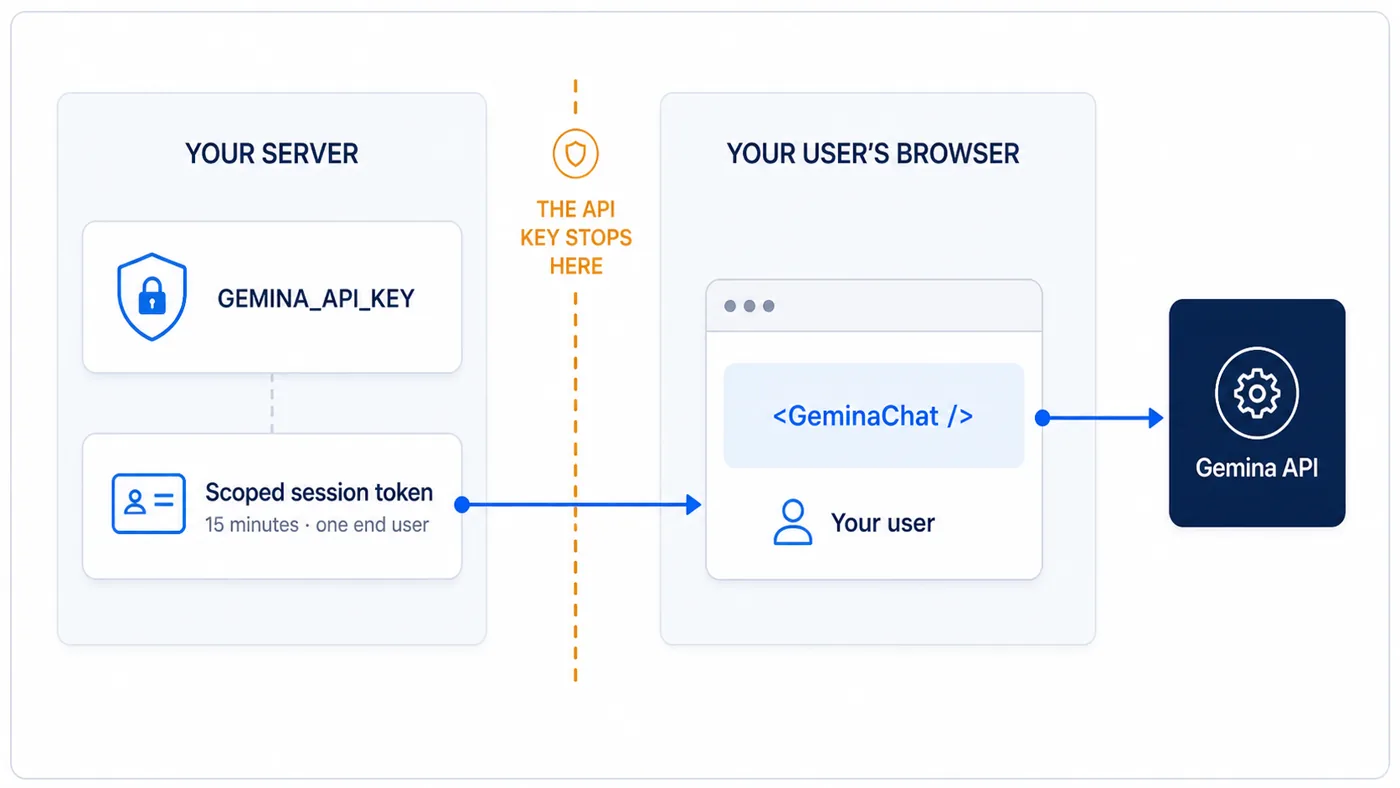
Your key never leaves your server.

Your server mints a short-lived token.

That token is all that crosses into the browser.

Your server keeps the Gemina API key and sends only a fifteen-minute token scoped to one end user across the trust boundary to the browser
Your API key never reaches the browser.If a token leaks, it expires in minutes and can only see one end user's documents.

One route. One component. Done.

This is not an excerpt. It is the entire integration for a working chat.

1

On your server

Exchange your API key for a token scoped to the signed-in user. Your own auth decides who gets one.

// Next.js (App Router) — app/api/gemina-session/route.ts
import { NextResponse } from "next/server";
import { GeminaClient } from "@gemina/sdk";

const gemina = new GeminaClient(process.env.GEMINA_API_KEY!);

export async function POST(request: Request) {
  const user = await requireYourAppAuth(request); // your session check
  const minted = await gemina.sessions.mintRetrievalToken({
    sessionTokenInDTO: { endUserId: user.id, ttlSeconds: 900 },
  });
  return NextResponse.json({ token: minted.token, expiresIn: minted.expiresIn });
}
2

In the browser

Point the token manager at that route and render the component. Refresh is handled for you.

import { GeminaTokenManager } from "@gemina/elements/token-manager";

const tokenManager = new GeminaTokenManager({
  // Points at YOUR backend — see the mint endpoint below.
  fetchToken: async () => {
    const res = await fetch("/api/gemina-session", { method: "POST" });
    if (!res.ok) throw new Error("Failed to mint Gemina session token");
    return res.json(); // { token, expiresIn }
  },
  // Optional: seconds before expiry to refresh (default 60).
  refreshSkewSeconds: 60,
});

import { GeminaChat } from "@gemina/elements";

<GeminaChat
  tokenManager={tokenManager}
  // Header text — your brand or assistant persona. When set, the header
  // is always visible; tint the bar with --gemina-chat-header-bg.
  title="Acme Invoices"
  // Centered in the empty conversation until the first message. Newlines
  // split it into separately spaced paragraphs.
  intro="Answers come from your indexed document data."
  onCitationClick={(documentId) => openDocumentViewer(documentId)}
/>;

No vector store, no retrieval tuning, no chat state, no citation UI.

Your product, your voice.

Set the header text to your own brand or assistant persona, tint the bar to your palette, and write the intro line your users read first.

Citations, confidence handling and right-to-left support are already there.

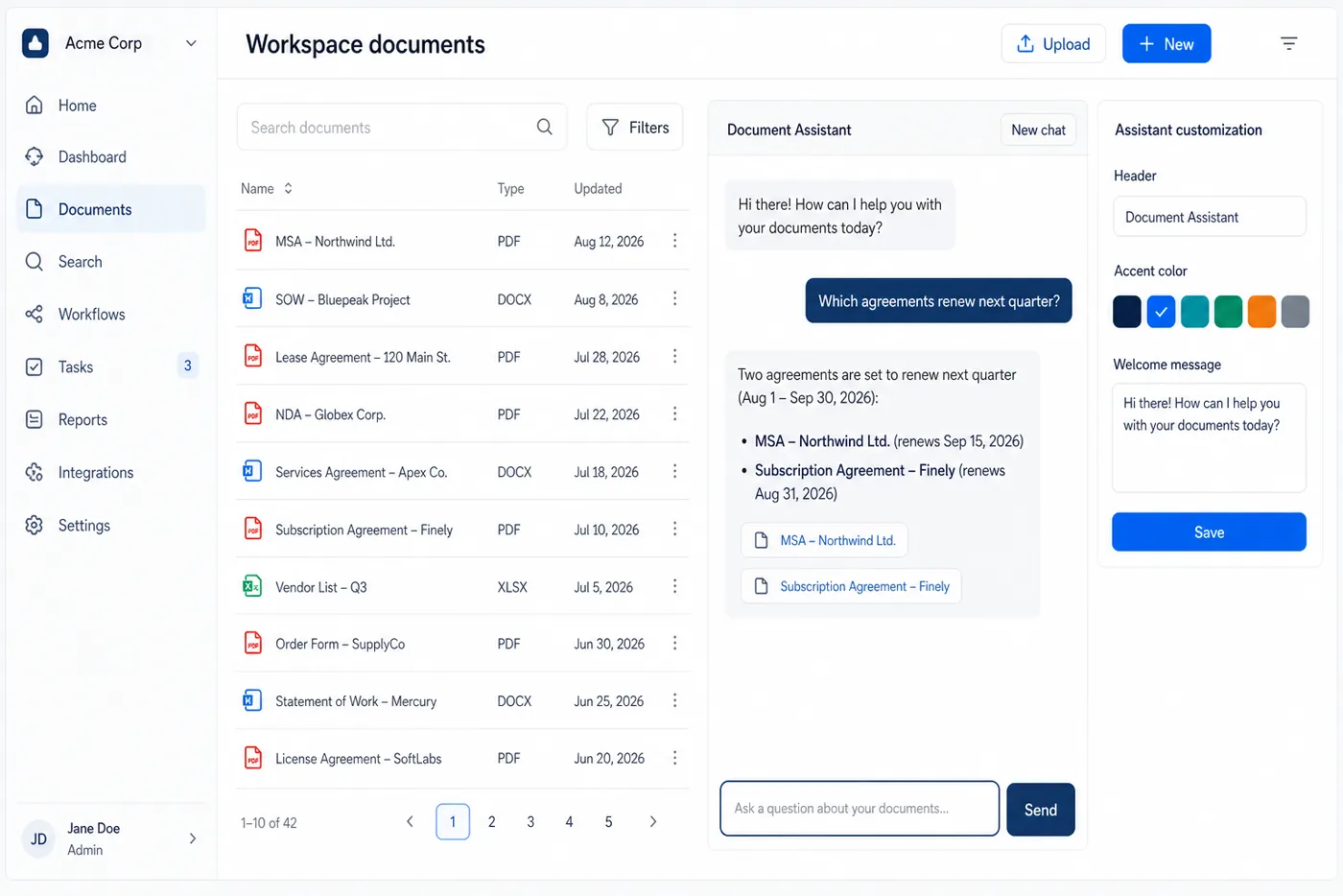
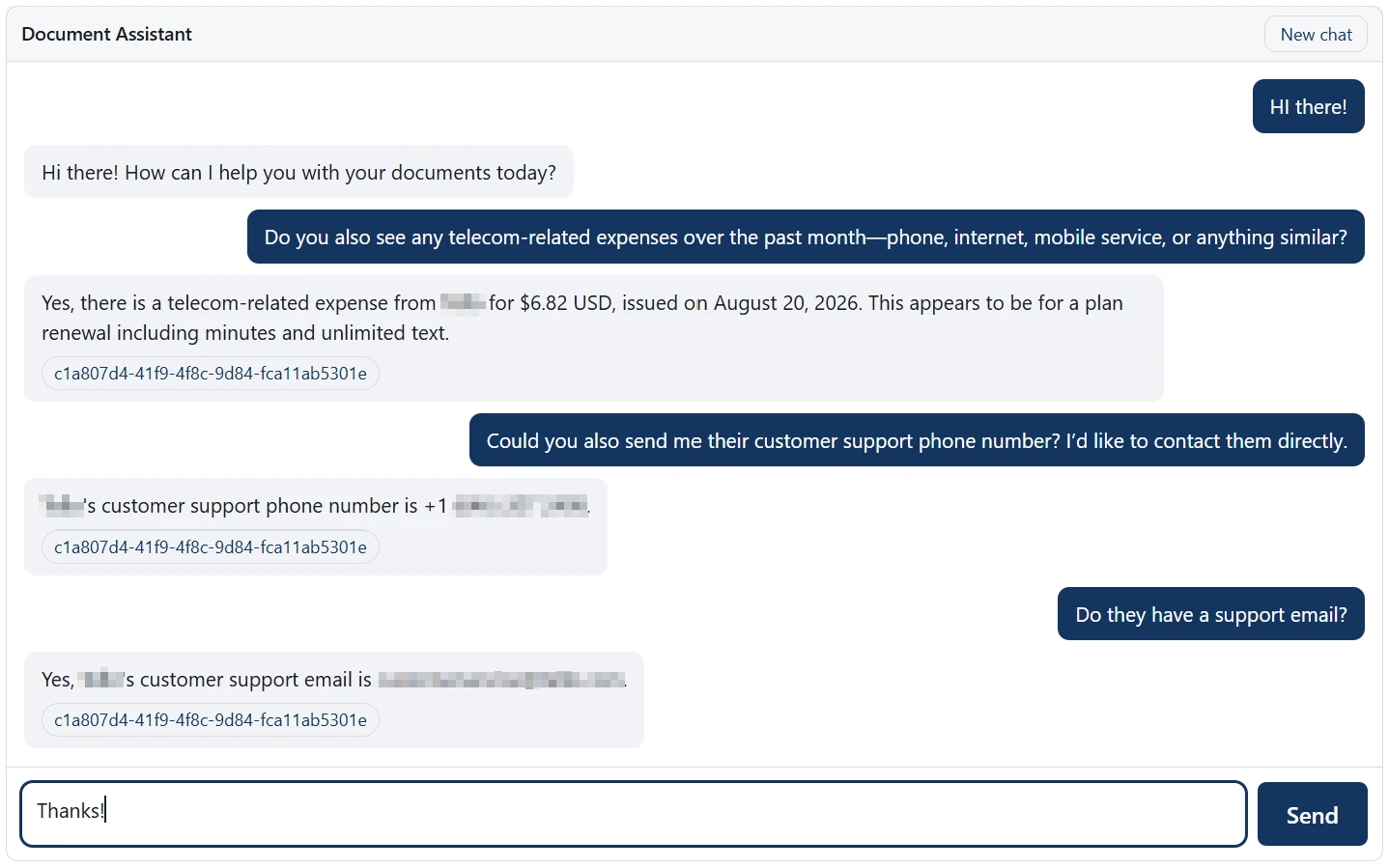
A chat assistant inside a host application answering questions about a tenant's documents, each answer carrying a source citation
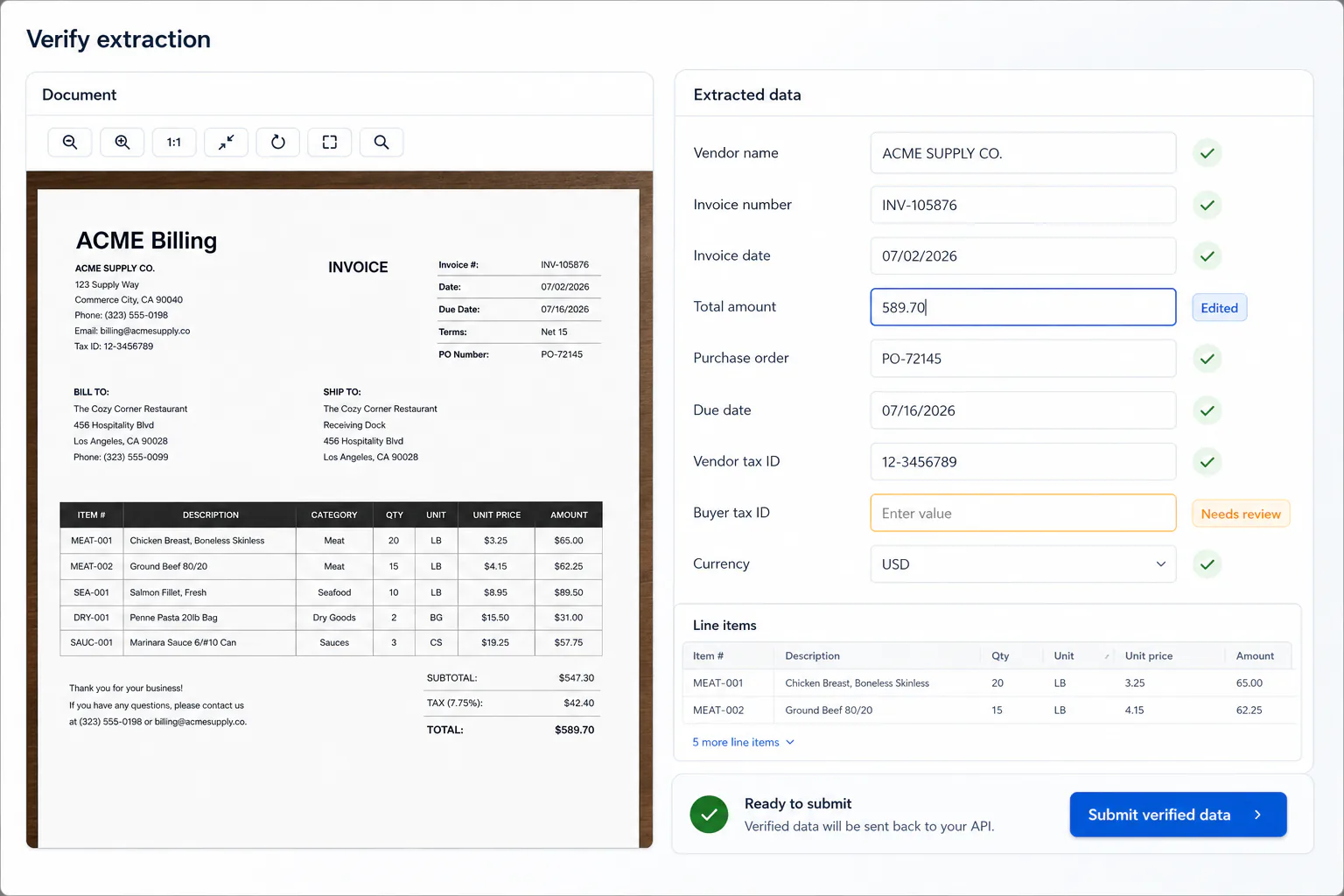
A document verification component embedded in a product, with the source invoice beside editable extracted fields and line items

Let users verify data without building the workflow.

Put the document beside editable headers, line items or custom template fields. Reviewers can inspect, correct and submit without leaving your product.

Gemina stores the audited result and the exact diff. Your backend retrieves verifiedValues in the same shape as the original values payload.

One tenant can never read another.

The key stays on your server

The browser only ever holds a short-lived token. Your API key is never shipped to a client.

Tokens are scoped to one end user

A token pinned to an end user can only see that user's documents, and it can read and chat but never purge.

Your data residency applies

Documents are processed and stored in the region you choose, and are never used to train a model.

Build with Gemina.

Start free, and talk to us about per-tenant pricing when you scale.